ATDT host
Type a Hayes-style ATDT command to dial a hostname or saved destination.
Vintage computer networking
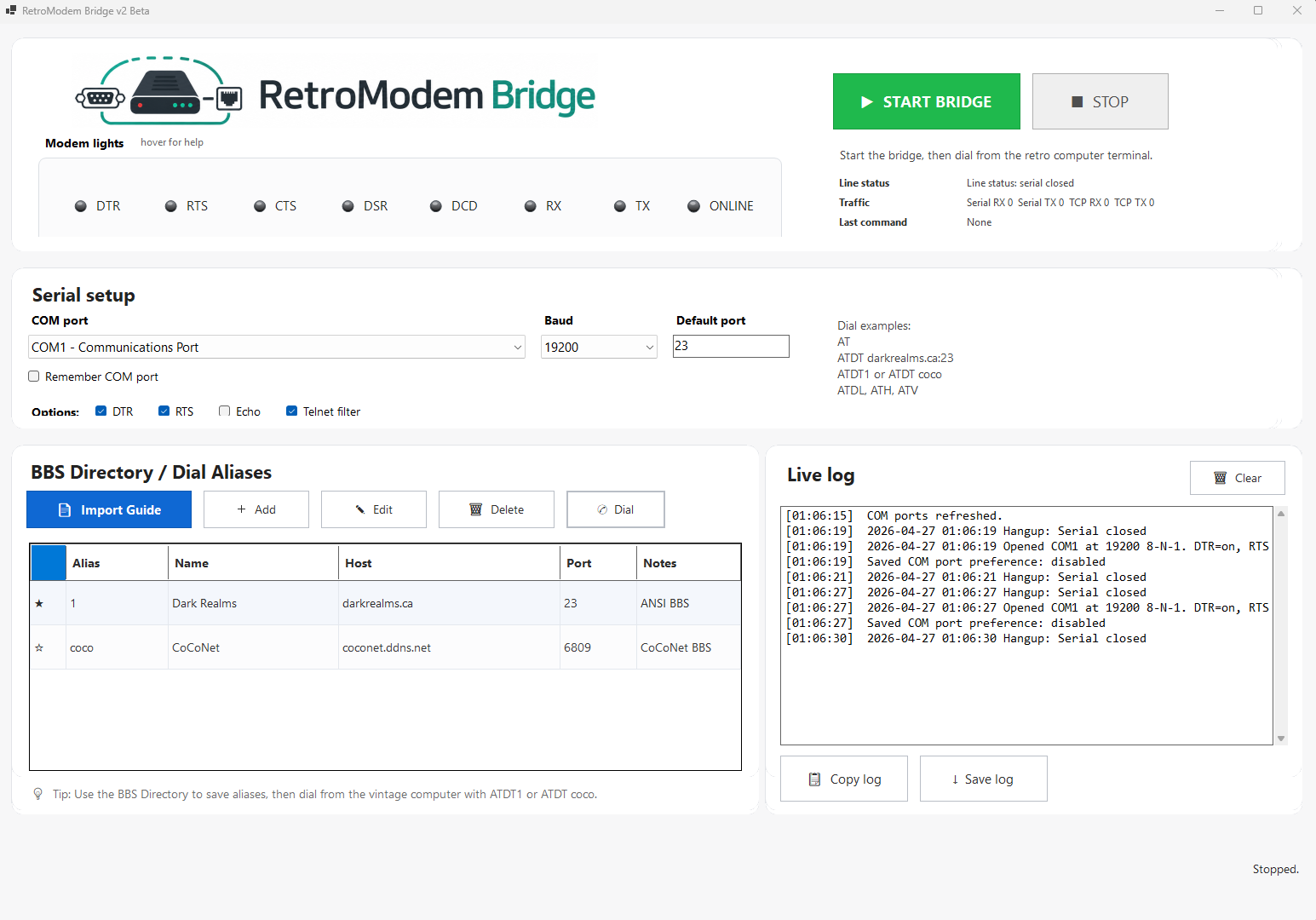
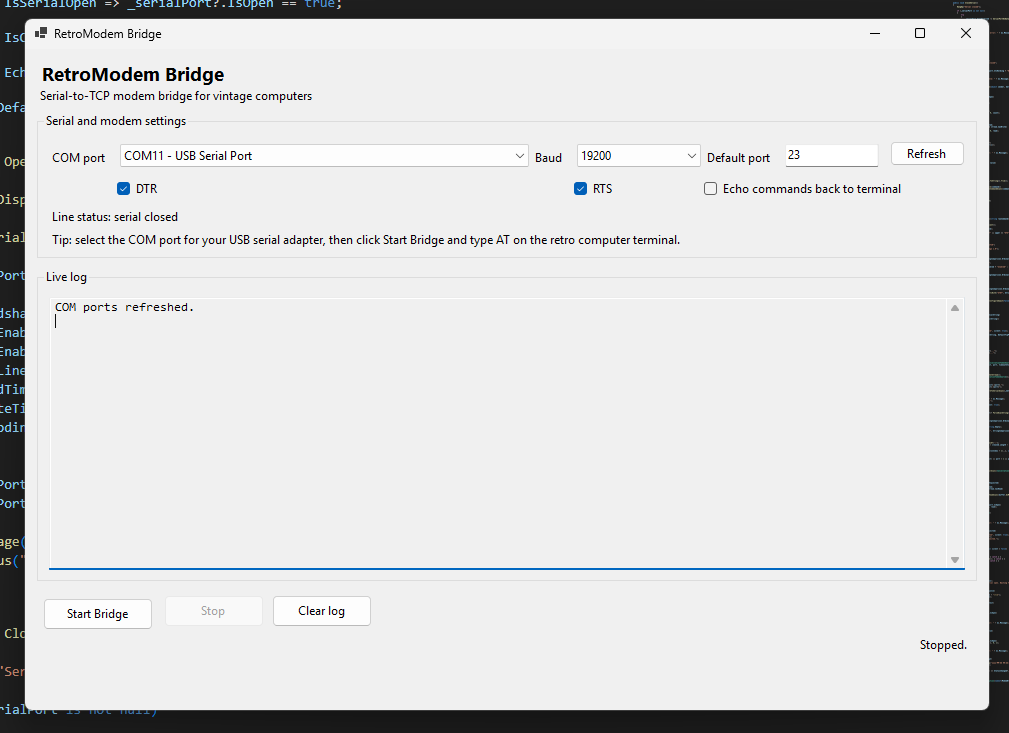
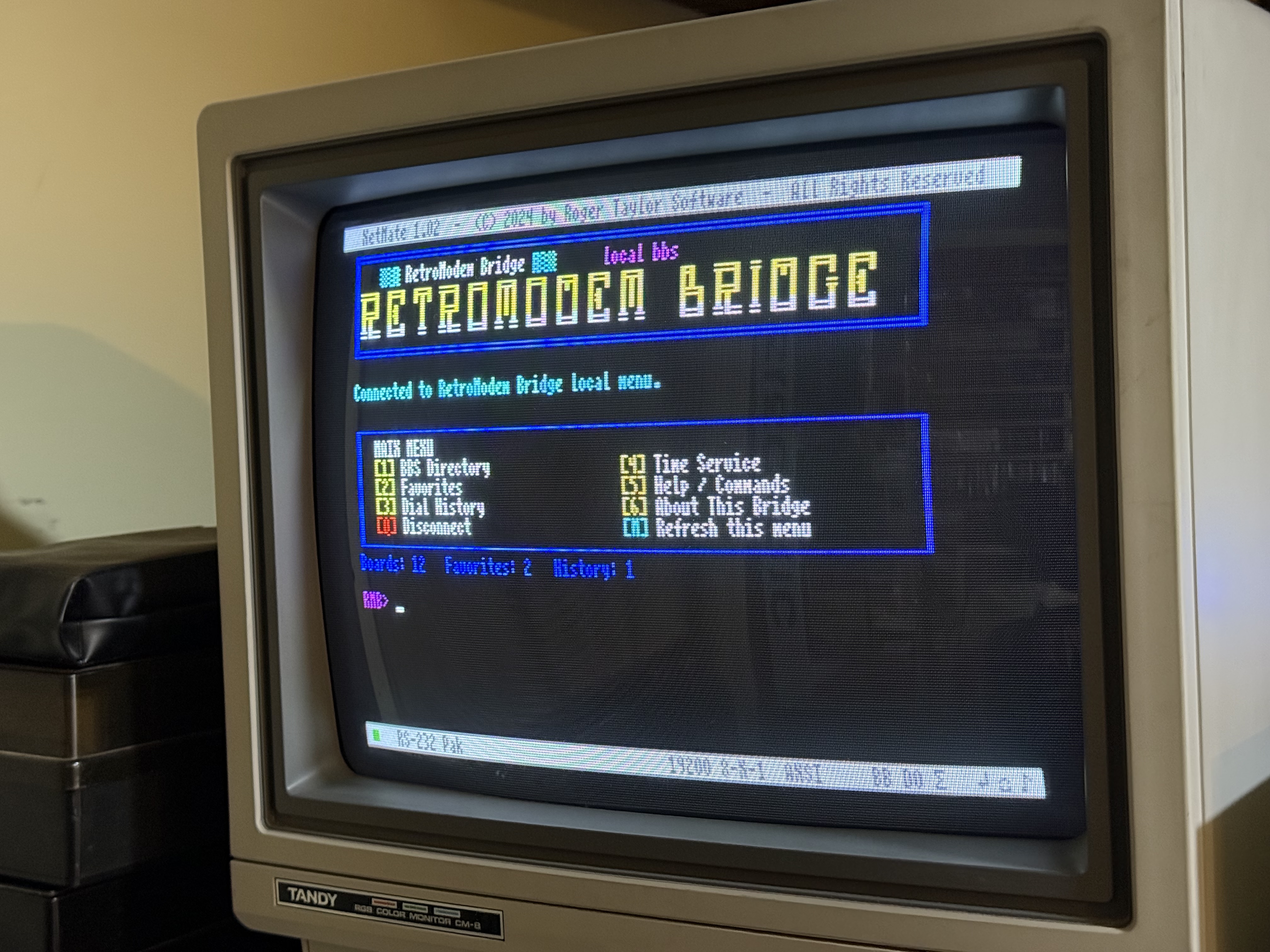
RetroModem Bridge lets a vintage computer act like it still has a modem. The old computer talks over serial while a Windows PC handles the Telnet connection. Use ATDT commands to dial BBSes, save aliases, watch the session, or run local door games.
Work in progress: RetroModem Bridge keeps changing as I add features, fix connection problems, and try new ideas with different vintage systems.
What it does
The vintage computer does not need to understand Wi-Fi or Telnet. It just talks to RetroModem Bridge over serial, the same way it would talk to a modem.
RetroModem Bridge handles the network connection, BBS list, session mirror, and local door games on the Windows side.
This is the Tequestafarian overview. For downloads, updates, and the full RetroModem Bridge site, visit RetroModemBridge.com ↗.
Familiar modem commands
RetroModem Bridge listens for the same kind of AT commands old terminal programs already use.
Type a Hayes-style ATDT command to dial a hostname or saved destination.
Save short aliases so ATDT coco can dial a saved BBS.
The old computer still gets familiar dialing, connect, and disconnect responses.
Windows handles the TCP/Telnet connection and passes the data back and forth over serial.
Destination management
Save BBSes with short aliases so you do not have to type hostnames every time. You can test entries from the PC and dial them from the vintage computer.
Type ATDT plus the alias and RetroModem Bridge connects to the saved address.
Watch from the PC
The ANSI session mirror shows the BBS traffic on the Windows PC while you keep using the vintage computer.
Watch the live session on the PC without taking over the vintage terminal.
If something looks wrong, the mirror helps show whether the problem is the connection or the terminal.
Local BBS fun
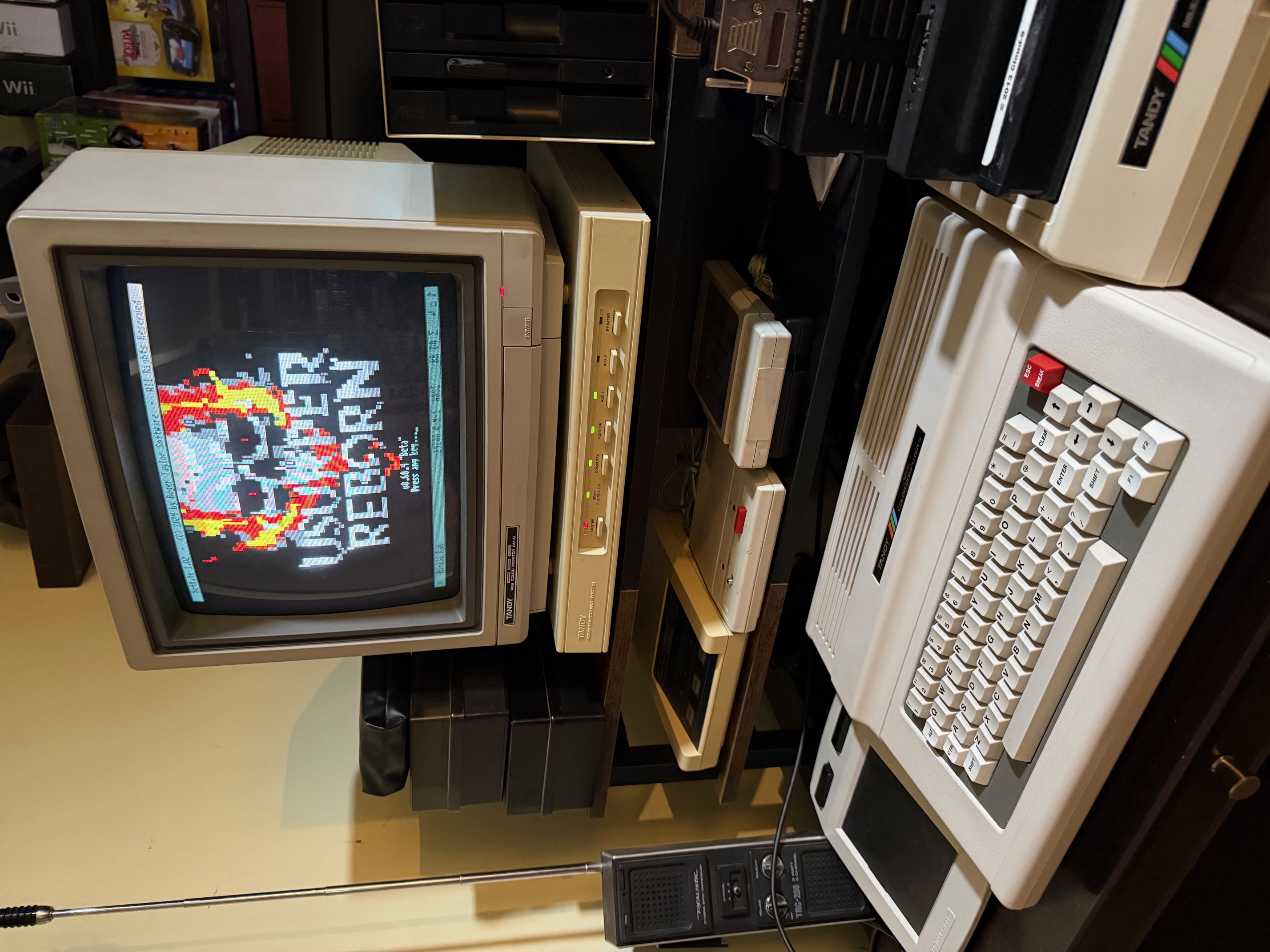
RetroModem Bridge can launch local door games too. Current versions can start configured games and create DOOR32.SYS for compatible doors.
The game runs on Windows, but you play it from the vintage computer as the terminal.
GiME ANSi! has already been used from a CoCo 3 to play the local Usurper Reborn door through RetroModem Bridge. The terminal stays on the Color Computer while the game runs locally on the PC.
Vintage computer use cases
RetroModem Bridge is not tied to one computer. If a vintage system has a serial interface and terminal software, it may be able to use it.
Use a CoCo serial terminal program, or pair RetroModem Bridge with GiME ANSi! for a FujiNet-based CoCo 3 setup.
Commodore and Amiga terminal programs can use the bridge to reach Telnet BBSes.
Apple II and Atari systems can use their serial terminal software instead of a phone modem.
DOS PCs and other systems with compatible serial terminal software may work too.
Companion project
GiME ANSi! is the CoCo 3 ANSI terminal. RetroModem Bridge is the Windows-side bridge. You can use them together for local BBSes and door games.
I plan to make GiME ANSi! automatically find RetroModem Bridge on the local network, so there is less IP and port setup.
RetroModem Bridge FAQ
It lets a vintage computer use its serial terminal like a modem while a Windows PC handles the TCP/Telnet connection.
Yes. Use Hayes-style commands such as ATDT to dial a hostname, address, or saved BBS alias.
Yes. It can launch configured local door games and create DOOR32.SYS for supported doors.
No. It can work with other vintage computers that have compatible serial hardware and terminal software.
More Tequestafarian projects